
Lightning Fast Turnaround!
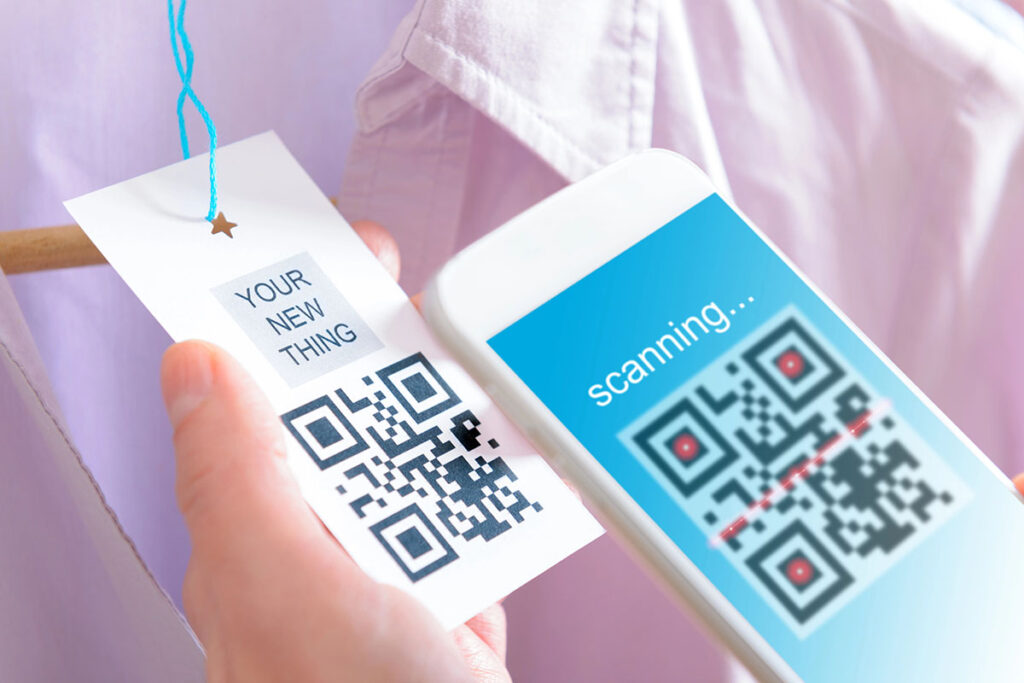
QR code adoption reversed after 2020, when contactless expectations pushed the technology from gimmick into reflex. Scanning finally required nothing beyond a phone camera, no dedicated app, no friction, and that changed what the codes could actually do. A scan now turns a physical moment of attention into a trackable digital action: a page visit, a follow, a form submitted. For a business, that’s a direct line between someone noticing you and someone entering your funnel.
Most businesses put QR codes on business cards, flyers, and vehicle wraps and call it done. Those work, but they only reach people who found you on their own terms. The better opportunity is placement at the moment someone is actively engaged with your brand or watching your team work, not idly browsing. Here are five spots that most businesses overlook, and why a durable, well-placed stickers in Austin in each location converts better than the standard options.
A QR code that fails to scan is worse than no QR code, it creates a small frustration at the exact moment you’re trying to make a good impression. Contrast is the most common failure point. Black on white reads reliably across lighting conditions and camera hardware. Brand-colored codes can work, but the background needs to be at least 50% lighter than the darkest color in the code itself. Before you order a full print run, test the sticker on three different phones in the actual lighting conditions where it’ll be placed, the light in a restaurant at lunch and at 9 p.m. are different environments entirely.
Size matters too. A QR code too small for its context won’t scan reliably from the intended distance, one inch square works fine on a laptop or product package, but vehicle wraps and floor decals need four to five inches. Material durability is the other constraint. Stickers that fade in direct sun or peel at the edges distort the code pattern and kill readability. For anything meant to last outdoors or in high-traffic areas, UV-stable inks and industrial-grade adhesives aren’t optional.
Yes. QR scanning is now built directly into iPhone and Android cameras, no separate app, no extra steps. Usage surged during COVID and never came back down; Statista reported roughly 89 million U.S. smartphone users scanned a QR code at least once in 2023. The format is no longer a novelty, it’s infrastructure.
Three things. First, a call to action, “Scan to See Our Work” or “Scan for 10% Off” tells people why they should bother. Second, material: outdoor placements need weatherproof vinyl; indoor ones can get away with paper. Third, the code itself needs high contrast and a sufficient quiet zone (the white border) to scan cleanly. Skip any of these and the sticker becomes decoration.
Yes, and tracking is what separates a dynamic QR code from a static one. Dynamic codes let you swap the destination URL any time without reprinting, and they log scan counts, timestamps, and approximate location. Services like Bitly, QR Tiger, and Flowcode offer this out of the box. The data is genuinely useful: if a code on a vehicle wrap gets 200 scans in a week and one on a storefront gets 12, you know where to concentrate your next print run.
Scanning distance is the main variable. A package label scanned from six inches can be 1 inch square. Equipment mounted on a wall, scanned from three to five feet, needs 3 to 4 inches minimum. A practical rule: add roughly one inch of QR code size per additional foot of intended scanning distance. Complex URLs generate denser patterns and may need slightly larger codes, a URL shortener helps if you’re pushing the size limit.
One inch square is the practical floor for most smartphone cameras at normal reading distance. Go smaller and you’re betting the user will hold their phone close and steady, most won’t. One complication: longer URLs generate denser QR patterns with more modules, so the code needs more physical space to stay scannable. A URL shortener like Bitly or TinyURL reduces data density and lets you use a smaller sticker without sacrificing scan reliability.
They can, with real constraints. The problem is distortion: wrap a QR code around a narrow cylinder and the camera can’t capture a flat, undistorted view of the full pattern. A standard 20-oz water bottle has enough curvature to cause scan failures if the code is large. Keep the code small, under an inch, and position it on the flattest section of the surface, usually near the base or on a dedicated flat label panel. If the product has no flat area at all, a hangtag is a more reliable option.
A laminated sticker handles minor scratches without much trouble. QR codes have built-in error correction, at the highest setting (Level H), a code can still scan with up to 30% of its surface damaged or obscured. That’s enough tolerance for typical wear. Heavy scratching or peeling that distorts the pattern boundaries tends to cause failures even with error correction engaged, so if a sticker is visibly worn around the edges or the center is obscured, replace it. A failed scan is a lost lead.
For lead generation, go dynamic. The critical difference: a static QR code permanently encodes the destination URL at print time, if that URL changes later, the code stops working and the sticker is dead. A dynamic code stores a redirect in your QR platform’s dashboard, so you can update the destination anytime without reprinting. That matters when you swap out a seasonal promotion, migrate your landing page, or A/B test different offers on the same print run. Dynamic codes also log scan analytics, total scans, timestamps, and approximate city-level location, so you can tell which placements actually drive traffic and which don’t. Most platforms (Bitly, QR Code Generator Pro, Flowcode) offer dynamic codes for roughly $5-15 per month.
Placement determines whether a QR code gets scanned or ignored. A sticker on a company truck parked at a job site sits in front of the exact people who noticed your work and might want the same, that’s a fundamentally different audience than a bumper sticker traveling at 65 mph. The same logic applies across formats: a sticker on a service invoice gets scanned by someone who already has a relationship with your business; a sticker on a trade show display competes with everything else in the room. Think about what the person seeing each sticker is trying to do in that moment, and whether your landing page gives them a clear reason to act right then.
If you’re ready to connect physical placement with trackable digital results, we design and print QR code stickers built for the environments where your business operates, UV-resistant vinyl for outdoor exposure, weatherproof laminate for vehicle wraps, materials that hold up in direct sun, rain, and road spray. A sticker that fades or peels in six months costs you every scan it would have captured in months seven through twenty-four. We offer custom stickers in Austin TX, and we also provide Austin decals for your needs.
|
Uploaded
Failed
|
 |